
위와 같이 각 Pawn에 대해 SetViewTarget 를 하면 다음과 같다.
 |
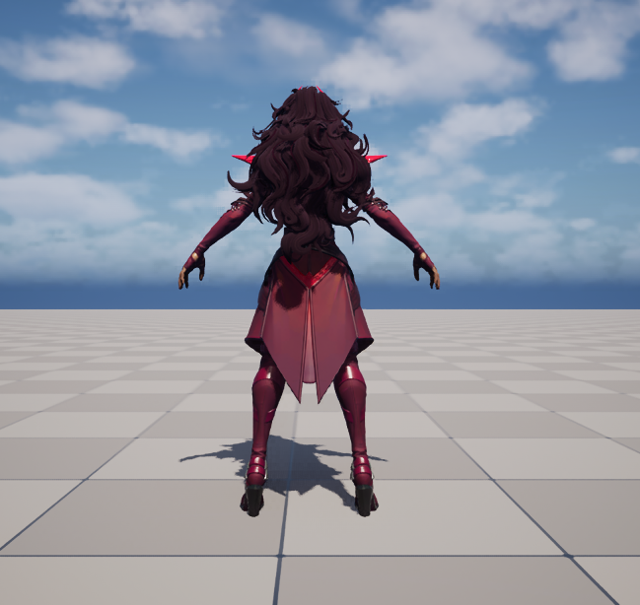 |
void AActor::CalcCamera(float DeltaTime, FMinimalViewInfo& OutResult)
{
	if (bFindCameraComponentWhenViewTarget)
	{
		// Look for the first active camera component and use that for the view
		TInlineComponentArray<UCameraComponent*> Cameras;
		GetComponents(/*out*/ Cameras);

		for (UCameraComponent* CameraComponent : Cameras)
		{
			if (CameraComponent->IsActive())
			{
				CameraComponent->GetCameraView(DeltaTime, OutResult);
				return;
			}
		}
	}

	GetActorEyesViewPoint(OutResult.Location, OutResult.Rotation);
}
내부 동작을 확인해보면 CameraComponent 가 존재하면 해당 뷰 값을 가져오지만 없으면 1인칭 으로 빠지는것을 확인할 수 있다.
그리고 저 OutResult 을 올라가보면 다음과 같은 구조체를 볼 수 있다.
/** A ViewTarget is the primary actor the camera is associated with. */
USTRUCT(BlueprintType)
struct FTViewTarget
{
	GENERATED_USTRUCT_BODY()
public:

	/** Target Actor used to compute POV */
	UPROPERTY(EditAnywhere, BlueprintReadWrite, Category=TViewTarget)
	TObjectPtr<class AActor> Target;

	/** Computed point of view */
	UPROPERTY(EditAnywhere, BlueprintReadWrite, Category=TViewTarget)
	struct FMinimalViewInfo POV;

protected:
	/** PlayerState (used to follow same player through pawn transitions, etc., when spectating) */
	UPROPERTY(EditAnywhere, BlueprintReadWrite, Category=TViewTarget)
	TObjectPtr<class APlayerState> PlayerState;
    ...(생략)
POV (Point of View) 는 관점 / 시점 뭐 이런뜻이고 카메라의 위치 회전 FOV 직교여부 클리핑 등 카메라에 대한 정보를 담고 있다.
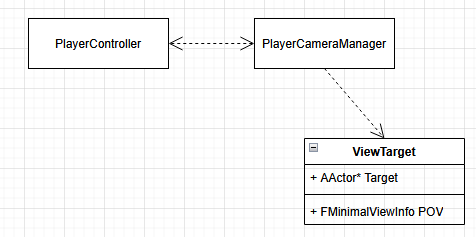
그리고 이 ViewTarget은 PlayerCameraManager가 가지고 있다.
아까 CalcCamera 함수를 타고 올라가면 PlayerCameraManager 의 UpdateViewTarget이라는 긴 함수가 있는데
CameraStyle에 따라 ThirdPerson / Freecam / Fixed 등 하는 방식은 다르지만 현재 ViewTarget 기준으로 이번 프레임의 POV 를 계산한다.
즉, SetViewTarget으로 어떤 대상(Target)을 정하고 해당 대상으로 부터 (POV) 를 계산하여 PlayerCameraManager의 FViewTarget ViewTarget 에 저장된다.
-> 카메라 값 (POV) 를 계산하는데 있어 어떤 대상을 기준으로 계산할 것인가
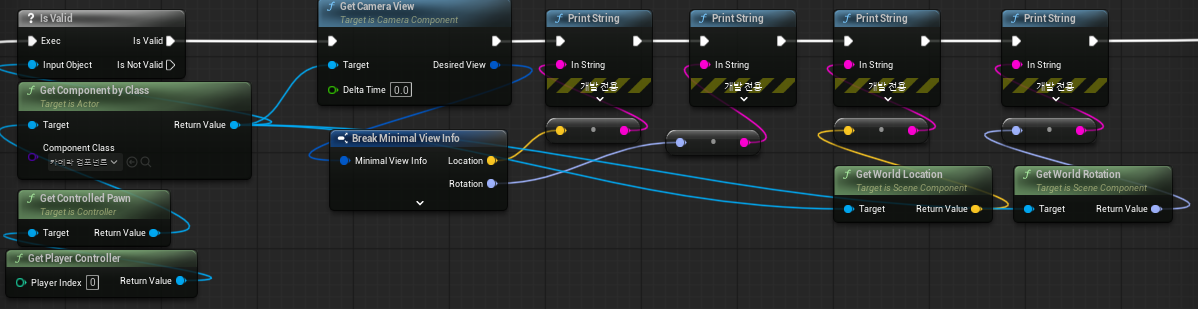

이 카메라의 POV의 Loc 과 Rot는 월드상의 Loc / Rot 랑 같은것이다.
정리하면, SetViewTarget을 하기위해 Camera는 필수적이지 않다.
하지만 대상을 원하는 시점으로 보려면 SpringArm / Camera 의 조합으로 해당 카메라로부터 POV를 계산하거나
혹은 Target과 POV 를 통해 해당 액터를 보는것이 가능하다.
동기화
APlayerCameraManager::UpdateCamera 에선 카메라 위치 / 회전(Roll 제외) 값만 서버로 전달한다.
말 그대로 전달만 하기 때문에 클라이언트에 레플리케이션작업은 따로 해주어야 한다.
// compress the rotation down to 4 bytes
int32 const ShortYaw = FRotator::CompressAxisToShort(CurrentPOV.Rotation.Yaw);
int32 const ShortPitch = FRotator::CompressAxisToShort(CurrentPOV.Rotation.Pitch);
int32 const CompressedRotation = (ShortYaw << 16) | ShortPitch;

int32 const PrevShortYaw = FRotator::CompressAxisToShort(LastPOV.Rotation.Yaw);
int32 const PrevShortPitch = FRotator::CompressAxisToShort(LastPOV.Rotation.Pitch);
int32 const PrevCompressedRotation = (PrevShortYaw << 16) | PrevShortPitch;

if ((CompressedRotation != PrevCompressedRotation) || !ClientCameraPosition.Equals(PrevClientCameraPosition) || (TimeSinceLastServerUpdateCamera > ServerUpdateCameraTimeout))
{
    PCOwner->ServerUpdateCamera(ClientCameraPosition, CompressedRotation);

    TimeSinceLastServerUpdateCamera = 0.0f;
}
내부에선 SetCameraCachePOV 를 통해 저장되고 GetCameraCacheView 를 통해 최신 POV 값을 가져올 수 있다.
또한 if문에서 이전값과 다르거나 TimeOut 이 지나면 (기본값 2초) 서버로 보낸다.
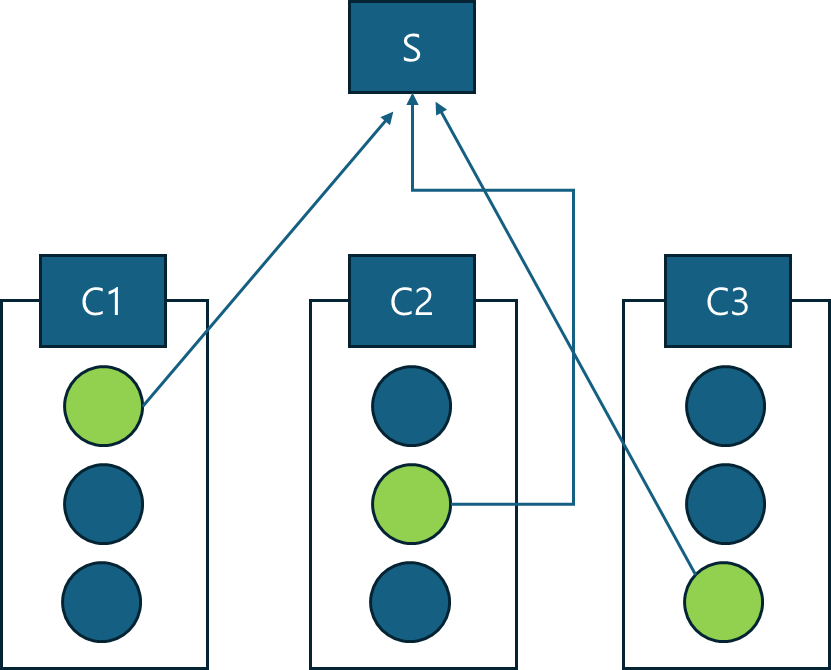
| Client -> Server | Server -> Client |
 |
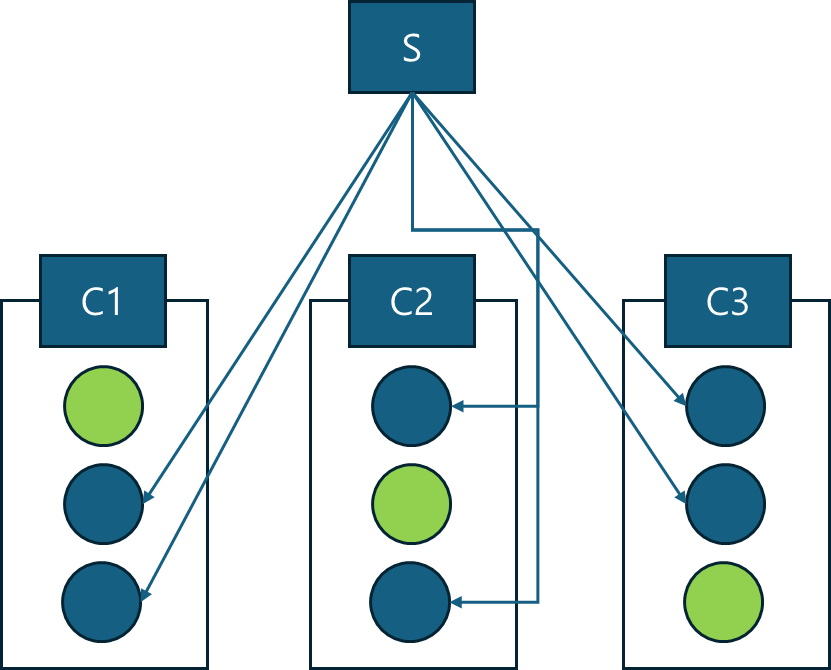 |
ServerUpdateCamera 함수를 오버라이드하여 오른쪽 방식처럼 Rep 받는 액터를 만들고 FMinimalViewInfo 를 Rep 하면 다른 클라이언트가 보고있는 장면 (POV) 를 받아 적용할 수 있다. [ex 데스캠]
'언리얼' 카테고리의 다른 글
| Zen Storage (0) | 2025.12.31 |
|---|---|
| DerivedDataBackendGraph (0) | 2025.12.24 |
| Deproject 위젯 -> 월드 (1) | 2025.11.18 |
| World Widget Depth Test (0) | 2025.09.24 |
| Custom Depth Stencil Pass (0) | 2025.09.19 |